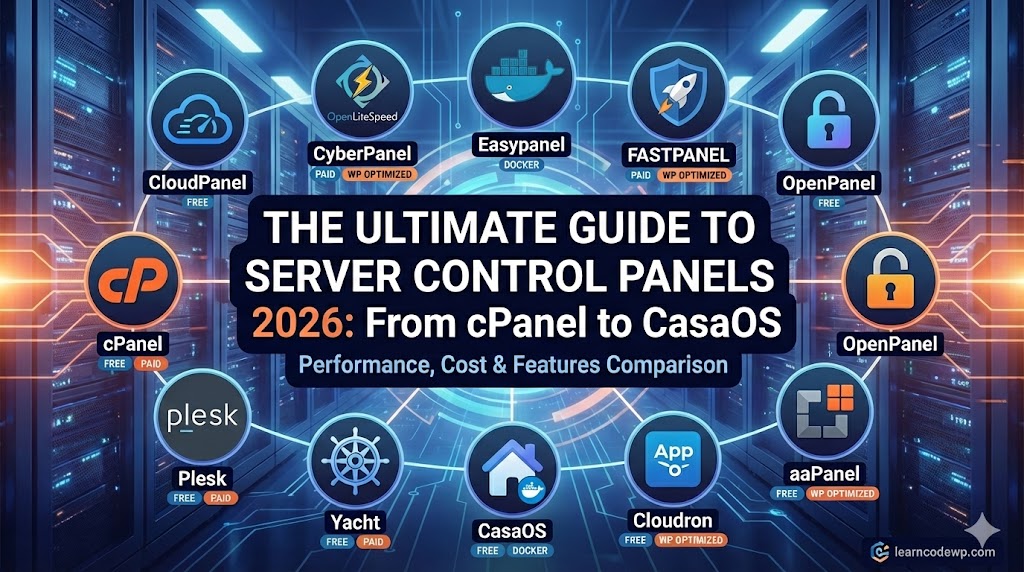

Managing a VPS or a dedicated server used to require advanced command-line knowledge. Today, modern control panels make it easy to host WordPress sites, manage databases, and deploy Docker containers with just a few clicks.
Whether you are hosting high-performance WordPress sites, building a home lab, or managing client servers, choosing the right panel is critical. Below is a breakdown of the top control panels you need to know this year.
1. CloudPanel
Cost: ✅ Free Based On: NGINX, PHP-FPM, MySQL/MariaDB (High Performance)
CloudPanel is a modern server control panel built specifically for speed and simplicity. It strips away the bloat of traditional panels to focus on raw performance for PHP applications.
- Key Features:
- Lightweight and blazing fast (optimized for high traffic).
- Built-in Varnish Cache integration.
- Automated backups to AWS S3, Google Drive, and more.
- Free Let’s Encrypt SSL certificates.
- Clean, modern interface with no licensing fees.
2. CyberPanel
Cost: ✅ Free (OpenLiteSpeed) / 💰 Paid (LiteSpeed Enterprise) Based On: OpenLiteSpeed / LiteSpeed Web Server
CyberPanel is the first control panel powered by OpenLiteSpeed. It is widely loved in the WordPress community because it integrates tightly with the LSCache plugin for superior speed.
- Key Features:
- Native support for LiteSpeed Cache (fastest WP caching).
- One-click WordPress installer with staging features.
- Docker Manager included.
- Email server and DNS management built-in.
- Automatic SSL for all domains.
3. Easypanel
Cost: ✅ Freemium (Free for basic use, Paid for “Pro” features) Based On: Docker
Easypanel is a modern tool that turns your server into a private PaaS (Platform as a Service), similar to Heroku. It is designed heavily around Docker, making it perfect for deploying modern apps alongside WordPress.
- Key Features:
- Deploy Node.js, Python, Ruby, PHP, and Go apps effortlessly.
- “One-Click” templates for huge library of apps (WordPress, Database, etc.).
- Zero-downtime deployments (updates don’t crash your site).
- Built-in database backups (Pro feature).
4. FASTPANEL
Cost: ✅ Free Based On: Debian, Ubuntu, CentOS, AlmaLinux, Rocky Linux
True to its name, FASTPANEL is incredibly quick to install and easy to navigate. It is a robust, free alternative to cPanel that doesn’t skimp on features.
- Key Features:
- AI-powered malware scanner.
- Visual site builder integration.
- Two-factor authentication (2FA) for security.
- Advanced file manager and cron job scheduler.
- Supports multiple PHP versions per site.
5. OpenPanel
Cost: ✅ Freemium (Open Source Community Edition is Free; Enterprise is Paid) Based On: Docker & Resource Isolation
OpenPanel is a newer entrant aiming to be a “next-generation” hosting panel. It focuses on providing isolated environments for every user, making it very secure and stable.
- Key Features:
- Resource Isolation: Each user gets dedicated resources (CPU/RAM limits), similar to a mini-VPS.
- Admin panel (for you) and User panel (for clients).
- OpenCLI: A powerful command-line tool for admins.
- Lightweight and minimally invasive to the OS.
6. aaPanel
Cost: ✅ Free (With paid professional plugins) Based On: Modular (Supports NGINX, Apache, and OpenLiteSpeed)
aaPanel uses a modular approach—you install only the extensions you need. It is extremely popular in Asia and is gaining traction globally for its versatility.
- Key Features:
- Modular “App Store” allows you to install specific software stacks (LNMP/LAMP).
- One-click deployment for WordPress, Laravel, and Joomla.
- Visual monitoring of server resources (CPU, RAM, Disk).
- Built-in security tools (Firewall, WAF).
7. Cloudron
Cost: ✅ Freemium (Free for 2 apps; Subscription for unlimited) Based On: Docker (Containerized Apps)
Cloudron focuses entirely on “Self-Hosting” made easy. It automates the messy parts of server management so you can run apps like WordPress, Nextcloud, or GitLab without being a sysadmin.
- Key Features:
- App Store with 100+ maintained apps.
- Zero-maintenance: It handles all server and app updates automatically.
- Integrated email server and user management.
- Full server backups and easy restoration.
8. CasaOS
Cost: ✅ Free (Open Source) Based On: Docker ecosystem
CasaOS is a beautiful, visual operating system designed primarily for home servers and personal clouds. While you can run websites on it, it shines as a home media and file server dashboard.
- Key Features:
- Extremely visual, beginner-friendly interface.
- One-click installation for home apps (Plex, Home Assistant, Pi-hole).
- Visual file manager to manage hard drives and storage.
- Low resource usage (runs great on Raspberry Pi).
9. Yacht
Cost: ✅ Free (Open Source) Based On: Docker
Yacht is a web interface specifically for managing Docker containers. It is an alternative to Portainer but focuses on being easier to use for beginners.
- Key Features:
- Simple template system for deploying containers.
- Visual management of Docker volumes and networks.
- Basic resource monitoring (CPU/RAM graphs).
- Very lightweight compared to full hosting panels.
10. Plesk
Cost: 💰 Paid (Monthly license) Based On: Linux & Windows
Plesk is the premium choice for agencies and professionals who need a polished, “it just works” experience. It is the only major panel that supports Windows Server hosting effectively.
- Key Features:
- WordPress Toolkit: The industry-best tool for managing, securing, and cloning WP sites.
- Self-repair tools that fix common server issues automatically.
- Robust reseller management features.
- Support for virtually every development stack (Node.js, Ruby, Python, PHP).
11. cPanel
Cost: 💰 Paid (Monthly license per account) Based On: Linux (AlmaLinux, CloudLinux, Ubuntu)
cPanel is the industry standard. If you have ever bought shared hosting, you have used cPanel. It is powerful but can be expensive and resource-heavy for small VPS setups.
- Key Features:
- WHMCS integration (essential for selling hosting).
- Extremely stable and widely supported by every hosting company.
- Comprehensive email management (Webmail, Spam filters).
- Massive library of plugins and add-ons (Softaculous, JetBackup).
| Panel | Best For | Cost | Tech Stack |
| CloudPanel | Performance WP | Free | NGINX + PHP |
| CyberPanel | Speed / LSCache | Free / Paid | OpenLiteSpeed |
| Easypanel | Modern Apps | Freemium | Docker |
| Plesk | Agencies | $$$ | Linux/Windows |
| cPanel | Resellers | $$$ | Linux |
| CasaOS | Home Lab | Free | Docker |
Which one should you choose? If you are deploying a high-performance WordPress site on a budget, start with CloudPanel or CyberPanel. If you are building a home server, CasaOS is the most fun to use. For selling hosting to clients, stick to the industry giants, Plesk or cPanel.